Pori’s Picture Book
English
Get the app

A picture-book app read aloud by Pori the book fairy

Pori’s Picture Book

Watercolor stories read aloud

Five warm watercolor stories, read aloud with a voice for the narrator and for every friend. Your child picks the path at each fork and taps the friends in the pictures to say hello.

Download on the App Store Google Play — coming soon

iPhone · iPad · iOS 15.0 or later · Free

  • Free
  • No ads
  • No in-app purchases
  • Works offline
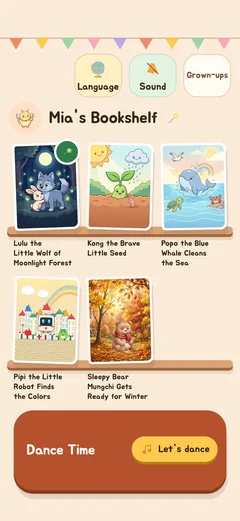
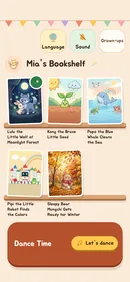
The bookshelf screen. Storybooks stand on a wooden shelf.
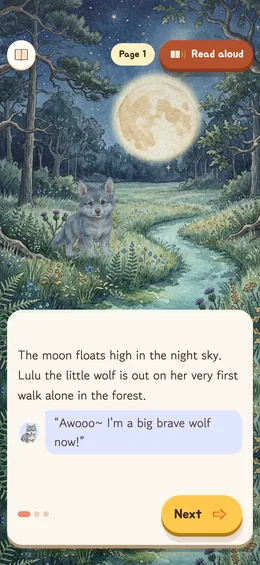
The reading screen. A moonlit forest fills the screen and the words sit on a card below.
Pori, a yellow fairy with book pages for wings, waving hello.

Four promises to parents

The things you would want to know before handing it over.

  • No ads, nothing to buy

    There are no ads in the app and nothing for sale. Wherever your child taps, it is fine.

  • Books that end

    When a story is over, it stops there. Nothing plays next on its own — your child chooses “Read again” or “Bookshelf”.

  • Your child’s details stay on the device

    Your child’s name and reading progress are saved on this device only. No accounts, no analytics, nothing sent anywhere.

  • Works without internet

    Every story, picture and voice is inside the app. It reads the same on a plane or in the car.

How it reads

Everyone reads in their own voice

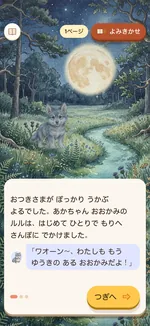
The narrator sounds like a narrator, Lulu like a wolf pup and Grandpa Owl like a grandpa. Pages are read slowly, one at a time, and each line of dialogue sits in a speech bubble with the speaker’s face.

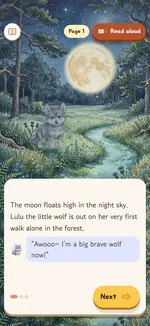
First page of “Lulu the Little Wolf of Moonlight Forest”
The reading screen. Under the narration is a speech bubble with Lulu’s face.

Your child picks the path

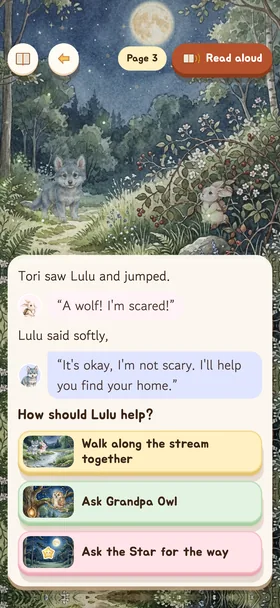
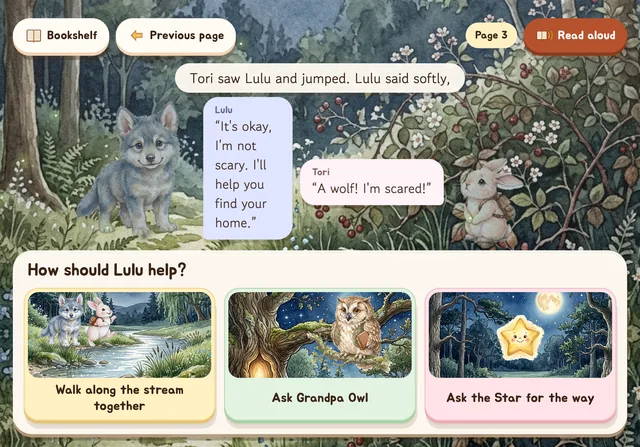
Every story has a fork. “How should Lulu help?” The story changes with the choice, so there is always another path to try next time.

The choice screen. Illustrated options are stacked one above another.

Friends who say hello

Tap a friend in the picture and they move and call out in their own voice. Try tapping the friends below.

Dance Time, all together

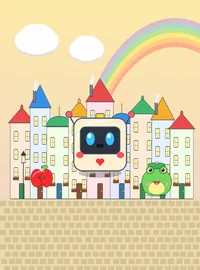
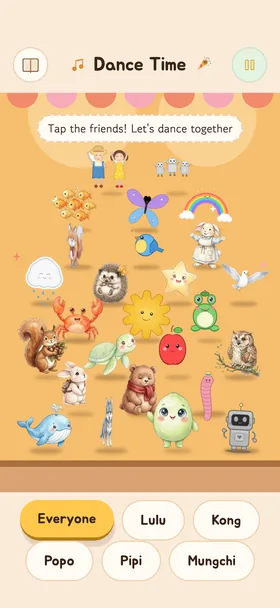
All the story friends gather on one stage. Tap them and dance along to the music.

The Dance Time screen. The story friends stand together on a stage.

Read in four languages

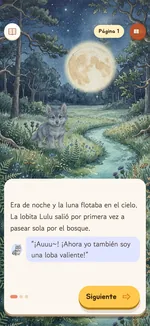
Read and listen in English, Korean, Japanese and Spanish. The words and the voices change together, so the same story can be met again in another language.

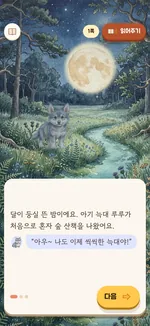
  • The reading screen in 한국어
    한국어
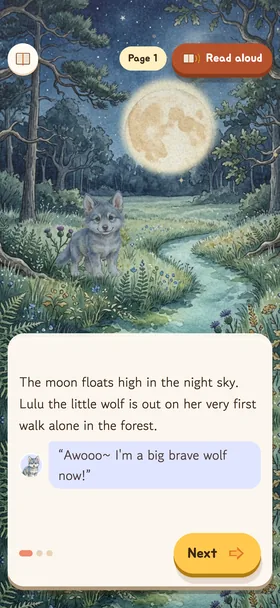
  • The reading screen in English
    English
  • The reading screen in 日本語
    日本語
  • The reading screen in Español
    Español

On phones and on tablets

The picture fills the screen and the words sit on a card below. Comfortable upright or sideways.

The choice screen on a tablet held sideways. The friends' words float in speech bubbles.
The bookshelf on a phone held upright

See it in motion

Pick a book from the shelf, turn the pages and finish with Dance Time. A 48-second look around.

Recorded with the app set to Korean.

Best read together

Pori does the reading aloud, but there is still a place for a grown-up right beside your child. A few ideas:

  1. Ask first at the fork

    “What would you do?” Then listen to why.

  2. Talk for a minute afterwards

    Every book comes with three things to talk about together.

    Find them on the storybook pages

  3. Take the other path next time

    A different choice brings new scenes and new friends.

Questions parents ask

What age is it for?

It suits children from about three to seven, reading together with a grown-up. Children who cannot read yet can still turn the pages by tapping, and the text and buttons are large.

Is it really free? Are there ads or purchases?

It is free. There are no ads and no in-app purchases.

Does it work without internet?

Yes. Every story, picture and sound is inside the app.

Is there an Android version?

It is on its way to Google Play. For now the app is available on iPhone and iPad.

Where is my child’s name stored?

Only on this device. It is never sent anywhere. Read the privacy policy

Where are the parents' settings?

Tap “Grown-ups” on the bookshelf and solve a simple sum to open them. You can set auto-read, reduce motion and change your child’s name.

The read-aloud voice is silent.

Check the device’s silent switch and volume, and make sure “Sound” is turned on on the bookshelf.

One story with Pori tonight

No sign-up and no login. Download it and open the bookshelf.

Download on the App Store Google Play — coming soon

iPhone · iPad · iOS 15.0 or later · Free

The Android version is on its way to Google Play.

QR code that opens the App Store
Point your phone camera here to open the App Store.